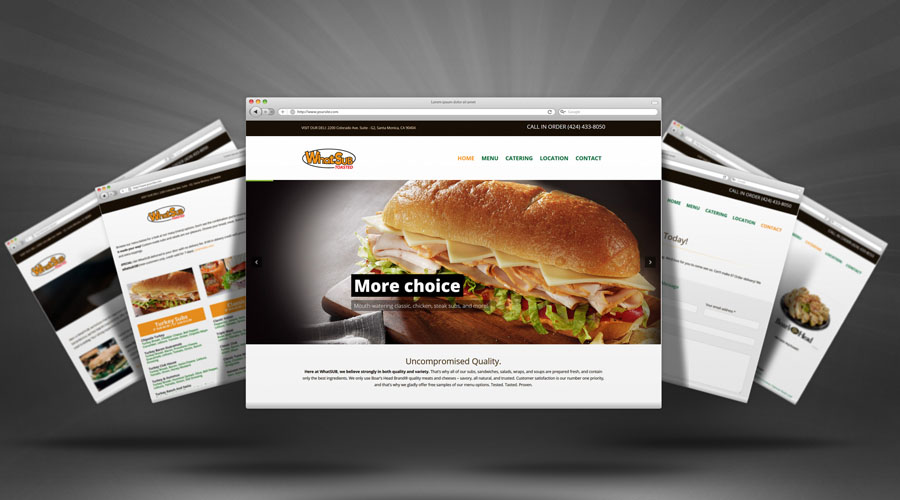


Adding new content is like keeping your storefront bright and welcoming. Fresh blog posts, updated service pages, and new case studies show customers (and Google) that you’re active, helpful, and ready to serve. Regular updates create more ways for people to find you, and they build trust because you’re consistently sharing useful, up-to-date info.
Why Fresh Content Matters for SEO & Business Growth
- Boosts Search Engine Rankings – Google and other search engines love active websites. Frequent updates signal that you’re engaged in your business and offering up-to-date information.
- Brings Visitors Back – New content gives people a reason to return, explore more pages, and stay longer on your site (which is also good for SEO).
- Builds Your Authority – Sharing your expertise positions you as a trusted resource in your industry.
- Increases Keyword Opportunities – Every new article or page is a chance to rank for additional keywords your potential customers are searching for.
Make It Fast
Fresh content works best on a speedy site. Compress your images before uploading, keep plugins lean, and remove scripts you don’t need. A fast website makes visitors happy, reduces bounce rates, and sends positive signals to search engines. The result? Better rankings, more page views, and a smoother experience for everyone.
Content Best Practices for Strong SEO
Strong, Keyword-Rich Titles
Your title is the headline of your show. Use the main keyword your audience is searching for, keep it clear and compelling, and promise a benefit. Great titles improve click-through rates and help you rank for the terms that matter.
Smart Structure with Heading Tags (H2, H3)
Break content into sections using H2s for main ideas and H3s for sub-points. This helps readers scan quickly and tells search engines exactly what each section is about, which can boost your visibility on the topics you cover.
Use a Featured Image
Choose a relevant, eye-catching featured image for each post. It improves click-through on your blog page and looks great when the article is shared to social media. Don’t forget descriptive file names and alt text.
Internal Links
Link to other helpful pages on your site—services, FAQs, guides, and related posts. Internal links keep visitors exploring (more time on site) and help search engines understand which pages are most important.
External, Credible Sources
When you reference facts or studies, link to trustworthy sites. It builds credibility with your readers and gives search engines more context around your topic.
Meta Descriptions That Earn the Click
Write a short, punchy meta description (about 150–160 characters) that includes your key phrase and a benefit. Think of it like ad copy that invites the searcher to click.
Image SEO (Alt Text + Compression)
Use descriptive alt text to explain what the image shows and why it’s relevant. Always compress images before uploading to keep your pages fast and user-friendly.
Clear Categories (Tags Optional)
Organize posts into a few clear categories so visitors can find related topics. Use tags sparingly for on-site navigation; they’re optional and shouldn’t replace strong categories and internal links.
Freshness Updates
Revisit older content to add new tips, current stats, and better visuals. Small improvements can lead to big gains in rankings and conversions.
Calls-to-Action (CTAs)
End each article with a friendly next step—book a call, get a quote, download a checklist. CTAs guide visitors toward working with you.
12 Helpful FAQs About Adding New Website Content
1) How often should I post new content?
Aim for weekly if possible, or at least twice a month. Consistency matters more than volume.
2) Do updates to old pages count as “fresh content”?
Yes! Refreshing stats, adding examples, and improving readability can boost rankings.
3) What length works best for blog posts?
500+ words is a solid start; 1,000–2,000 words often perform better for competitive topics.
4) How do I choose topics?
Answer common customer questions, share how-to guides, explain services, and highlight success stories.
5) Should each post target one main keyword?
Yes. Focus on one primary keyword and include closely related phrases naturally.
6) Do images and videos help SEO?
Absolutely. Engaging visuals improve time on page and shares—just use alt text and keep files optimized.
7) What if I’m not a writer?
Keep it simple and helpful. You can also use ChatGPT for outlines, drafts, and ideas tailored to your business and target market.
8) Do I need to share new posts on social media?
Yes—every post is a marketing asset. Share the post and always link back to the full article on your site.
9) What’s the best way to improve click-through from Google?
Write compelling titles and meta descriptions that promise a clear benefit or outcome.
10) Will too many plugins hurt my content performance?
They can. Keep only what you need—fewer plugins often means faster pages and happier visitors.
11) Should I include author names and publish dates?
Yes. Clear authorship and current dates build trust and can improve click-through rates.
12) Do categories or tags affect SEO?
Categories help users and search engines understand your site. Tags are optional—use them lightly for navigation, not as a ranking strategy.
Turn Every Article into Social Media Fuel
Each time you publish, share the article on platforms your audience uses (Facebook, Instagram, LinkedIn, X, Pinterest, etc.). Use a friendly caption, a strong image, and always include a link back to the full article on your website. This brings traffic to your site—where conversions happen.
Need a Hand? We’ve Got You
If you want help planning, writing, or posting new content, Made to be Unique can handle the strategy and the execution—from keyword research to blog writing, formatting, images, and on-page SEO. You can also use ChatGPT to brainstorm topic ideas, generate outlines, and draft posts tailored to your industry and ideal customers, then let us polish and publish them for best results.